Building the Directory with a Script: 5 OUs and 150 Users
A seeded user list and a PowerShell script that builds the OUs, groups, 150 users and five admin accounts, tested on 10 users first, with random passwords that never enter the repository.
Overview
This is the eighth post in my Hybrid Identity Detection Lab project. In post 6 I ran one account’s whole life by hand. This post automates it: a script that builds the directory for the rest of the lab, with five department OUs, groups, 150 users and five separate admin accounts.
The lab needs 150 users because Phase 2’s detections, such as password spraying and Kerberoasting, only stand out among many accounts. With ten users any attack is obvious. The files are in the repository under scripts/.
The design
| What | How |
|---|---|
| OUs | IT, HR, Finance, Sales, Operations, each with Users, Groups and Workstations, plus Admins. All keep the deletion protection from post 6. |
| Groups | GG-<Department> for each department, and GG-IT-Admins. |
| Users | 150: IT 20, HR 15, Finance 25, Sales 45, Operations 45. |
| Admin accounts | The first five IT staff also get an adm- account in Admins, so daily accounts never hold admin rights. Nobody is in Domain Admins yet. |
Two files do the work:
generate-users.pywritesusers.csvfrom a fixed seed, so the same 150 people come out every time. It holds no passwords.New-LabUsers.ps1reads the CSV and builds everything. It is safe to run twice, because it skips anything that already exists.-DryRunshows what it would do, and-Count Nuses only the first N rows.
The names are Kenyan first and last names from fixed lists, plus a few I required. The CSV is ordered so that any first N rows contain a mix of departments, which makes a small test representative.
Passwords
Each account gets a random 16-character password from RandomNumberGenerator, with at least one upper-case letter, lower-case letter, digit and symbol, then shuffled. The script never prints them. It writes them to one CSV on DC01, in C:\LabSecrets, readable only by Administrators and SYSTEM, and the repository’s .gitignore blocks files like it. They never touch the repository or this blog.
Running it
There is no PowerShell on my Arch host, so I could not run the script before DC01. I reviewed it by hand and pasted it into Notepad on DC01. The file hash differed from the repository’s, because Notepad converted the line endings to Windows ones. It then matched the value I had calculated for that version. The -DryRun came first, so a syntax error would have cost nothing.
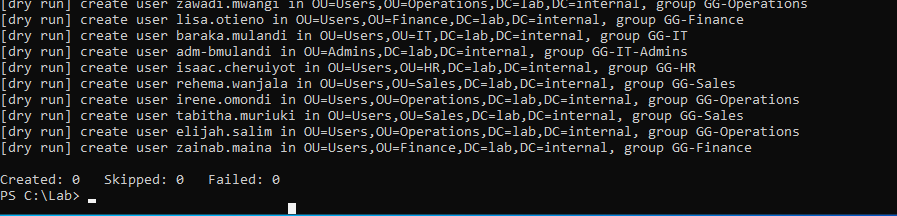 The dry run: nothing created, nothing failed
The dry run printed each OU, group and user it would create and ended with Created: 0 Skipped: 0 Failed: 0. It never reaches the code that creates accounts, so the real run was the first test of that.
Ten users first
1
.\New-LabUsers.ps1 -Count 10
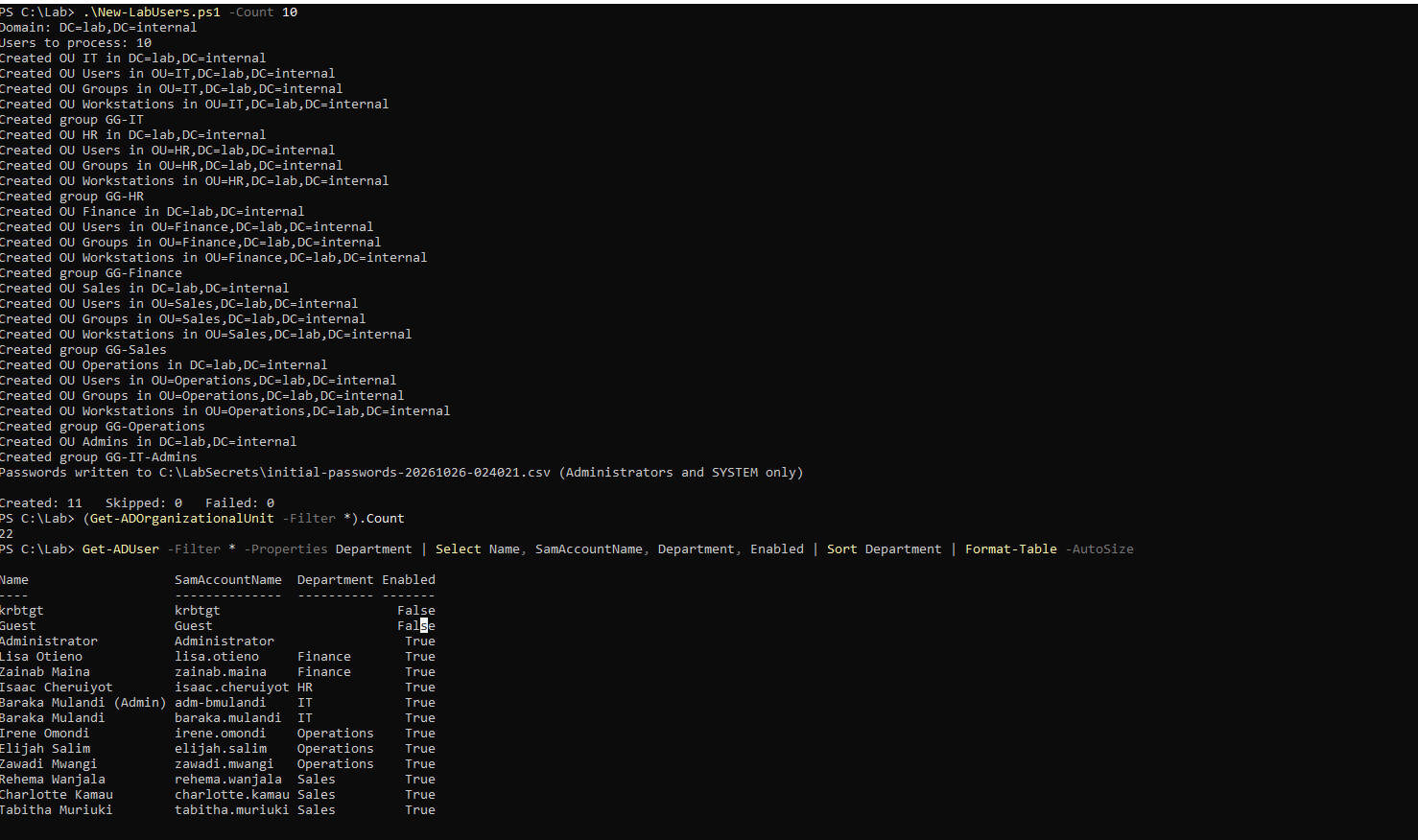 The first real run: OUs, groups, and 11 accounts created
Created: 11 is the ten users plus Baraka’s admin account. There were 22 OUs: Domain Controllers, five departments, 15 sub-OUs and Admins.
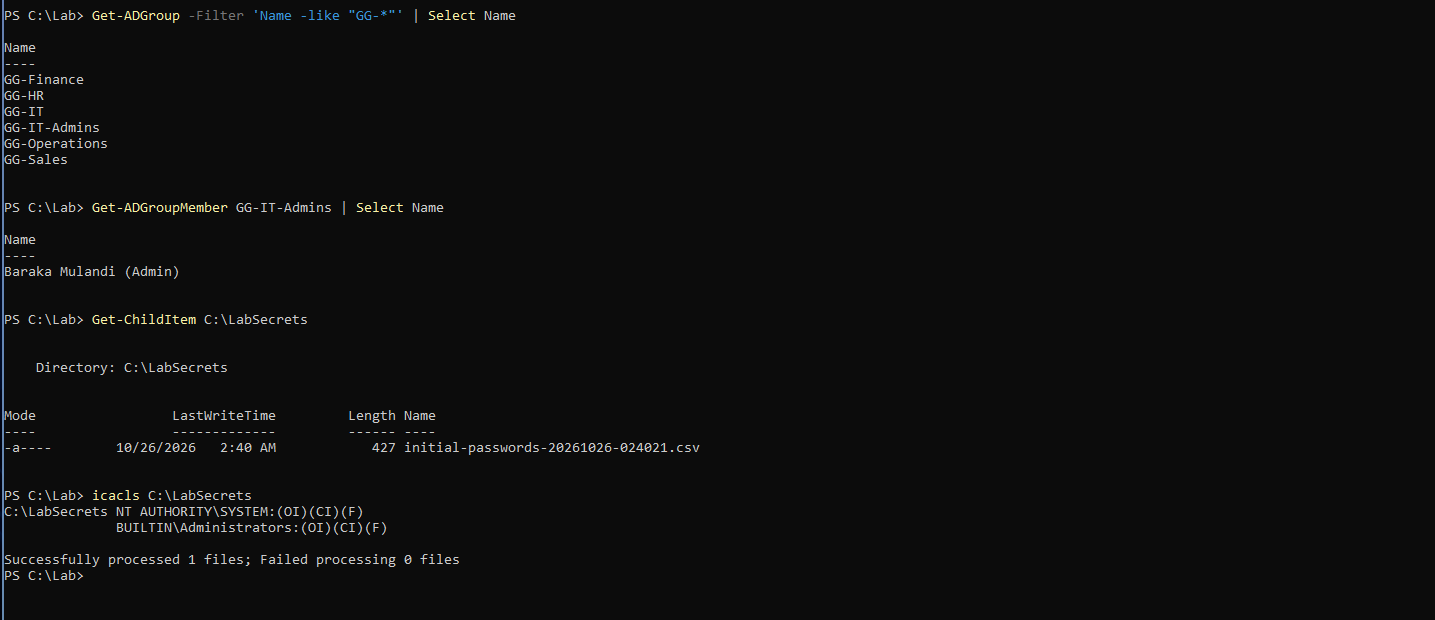 Six groups, the admin group member, and the locked-down password file
Six GG- groups exist, GG-IT-Admins holds the admin account, and the password file has only SYSTEM and Administrators on it. I then read one password on DC01, without copying it anywhere, and signed in to WS01 with it.
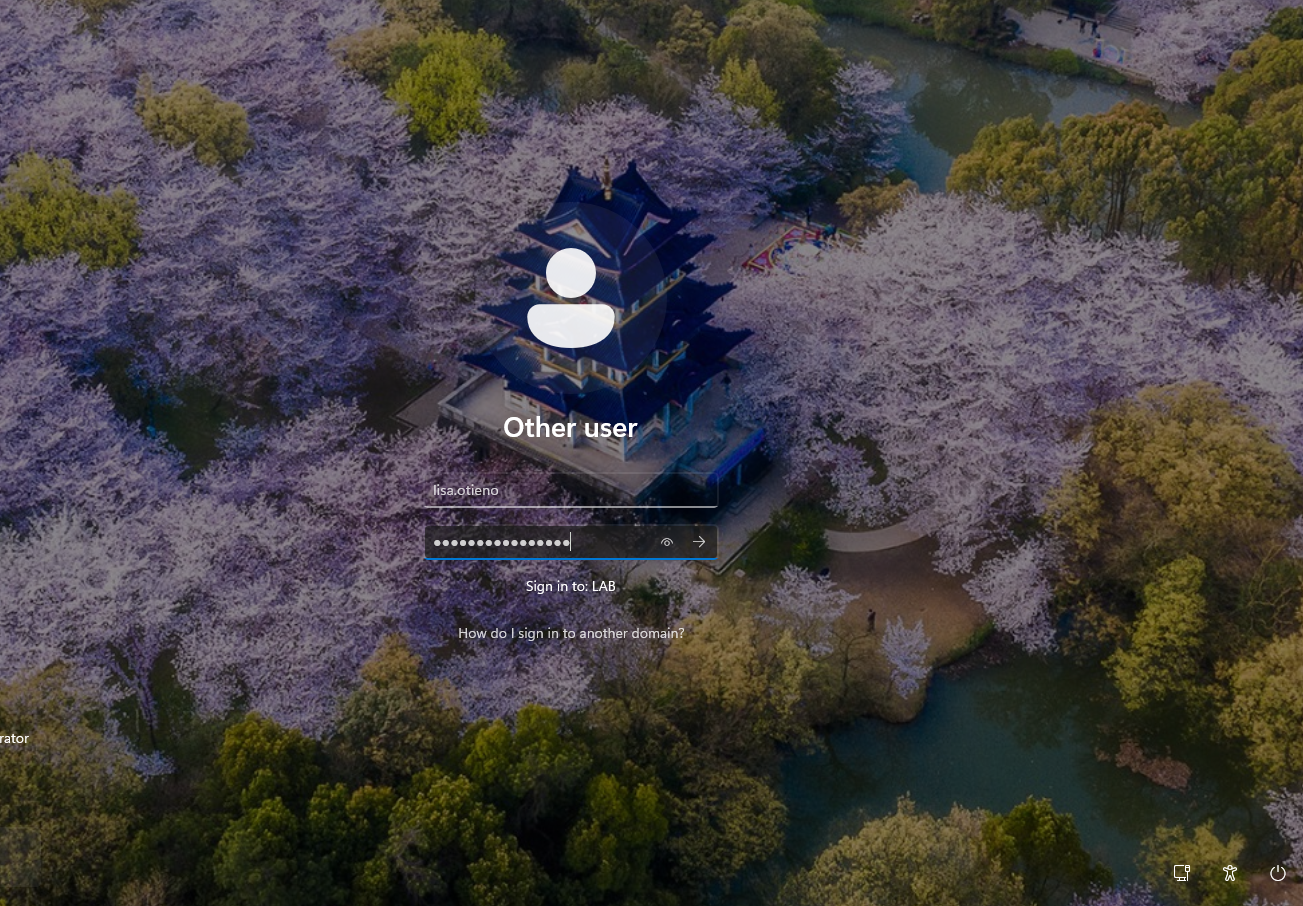 Signing in to WS01 as lisa.otieno with a generated password
That login works, so the generator, the account setup and the password file are proven end to end. Running the same command a second time printed Skipped (already exists) for every account.
Then all 150
1
.\New-LabUsers.ps1
 The full run: the first 11 skipped, 144 created, none failed
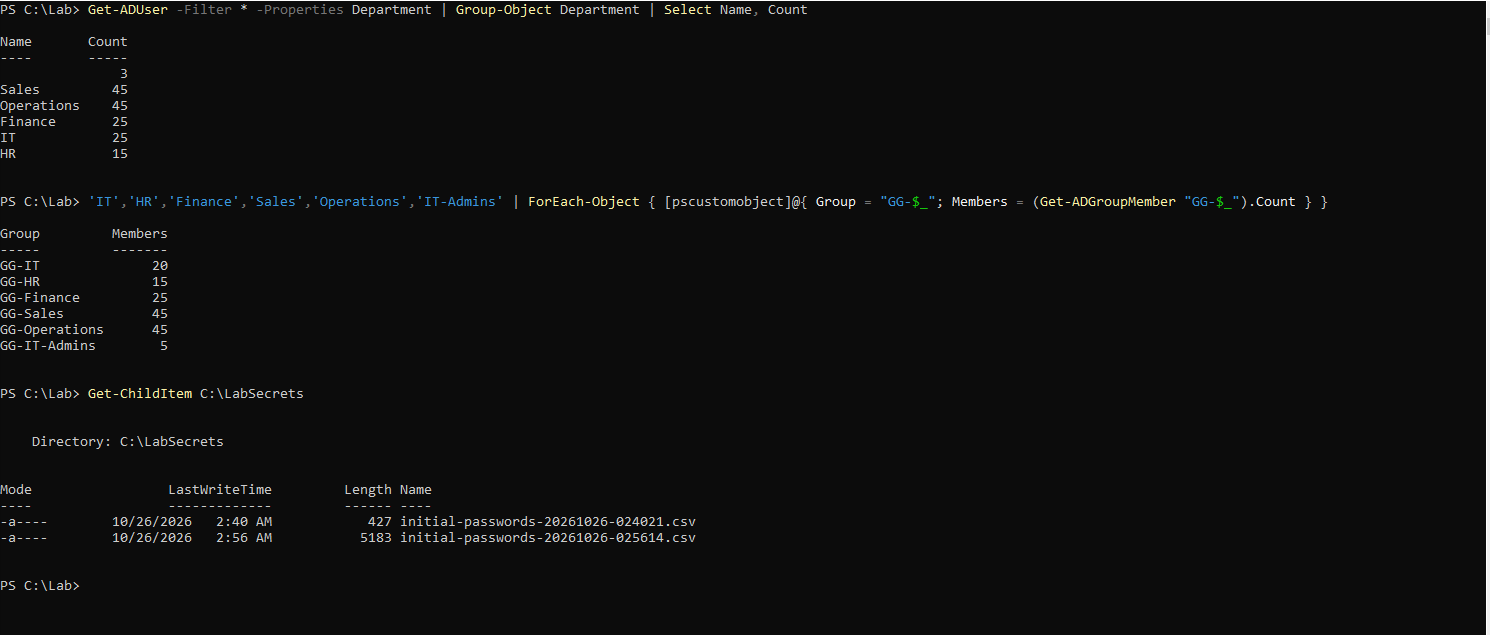
Created: 144 Skipped: 11 Failed: 0. The skipped ones are the eleven from the first run. Then the counts:
Users per department, members per group, and the two password files
IT shows 25 users because it includes the five admin accounts. The three with no department are the built-in Administrator, Guest and krbtgt. Every group has the number of members I expected, and there is one passwords file per run.
Outcome
- The OU structure, six groups and 155 accounts (150 users and 5 admin accounts) built by a script that can be rerun.
- Random passwords that exist only on DC01.
- A snapshot of DC01 with all of it, taken before any hardening.
What I would do differently
I would install PowerShell on the host, so a script gets a syntax check before it goes near the domain controller.
Next
Group Policy hardening, starting with the audit policy, because the domain controller still doesn’t record failed Kerberos logons. That is the next post.