Audit Policy by Group Policy: When the Policy Applied but Wasn't Read
Making the domain controller record failed Kerberos logons with a Group Policy, and the policy that applied correctly but did nothing until I registered its audit extension by hand.
Overview
This is the ninth post in my Hybrid Identity Detection Lab project. Post 7 found that the domain controller records Kerberos successes but not failures, so a detection for wrong passwords would see nothing. This post fixes that with a Group Policy, and covers why my first attempt applied cleanly and still did nothing.
Hardening is only started. The list of what remains is at the end.
The policy
I created a policy object and linked it to the Domain Controllers OU:
1
2
New-GPO -Name "LAB-DC-Audit"
New-GPLink -Name "LAB-DC-Audit" -Target "OU=Domain Controllers,DC=lab,DC=internal"
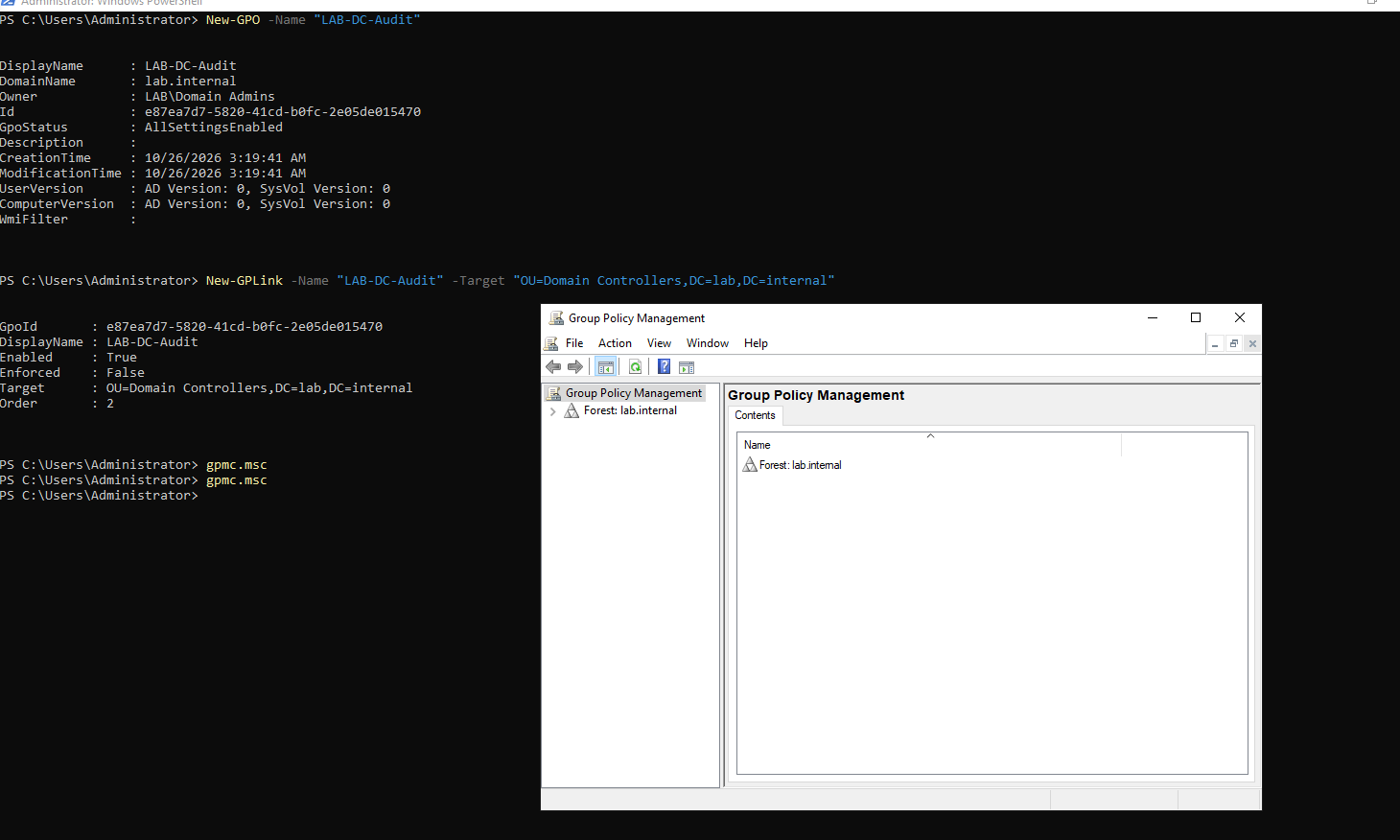 The policy created and linked to the Domain Controllers OU
The link order was 2, behind the built-in Default Domain Controllers Policy. I moved it to 1 afterwards with Set-GPLink ... -Order 1, so my policy wins any conflict.
In the editor, under Advanced Audit Policy Configuration, I set these subcategories:
| Category | Subcategory | Audit |
|---|---|---|
| Account Logon | Credential Validation, Kerberos Authentication Service, Kerberos Service Ticket Operations | Success and Failure |
| Account Management | User Account Management, Security Group Management | Success and Failure |
| Account Management | Computer Account Management | Success |
| DS Access | Directory Service Changes | Success |
| Logon/Logoff | Logon | Success and Failure |
| Logon/Logoff | Special Logon | Success |
| Logon/Logoff | Account Lockout | Failure |
| Detailed Tracking | Process Creation | Success |
| Policy Change | Audit Policy Change | Success |
| Privilege Use | Sensitive Privilege Use | Success and Failure |
I first set Non Sensitive Privilege Use by mistake. It is very noisy and useless for detection, and I changed it. The old basic categories under Local Policies stay Not Defined.
I also enabled “Audit: Force audit policy subcategory settings to override audit policy category settings” under Security Options. It makes Windows use the subcategories and ignore the old category-level settings.
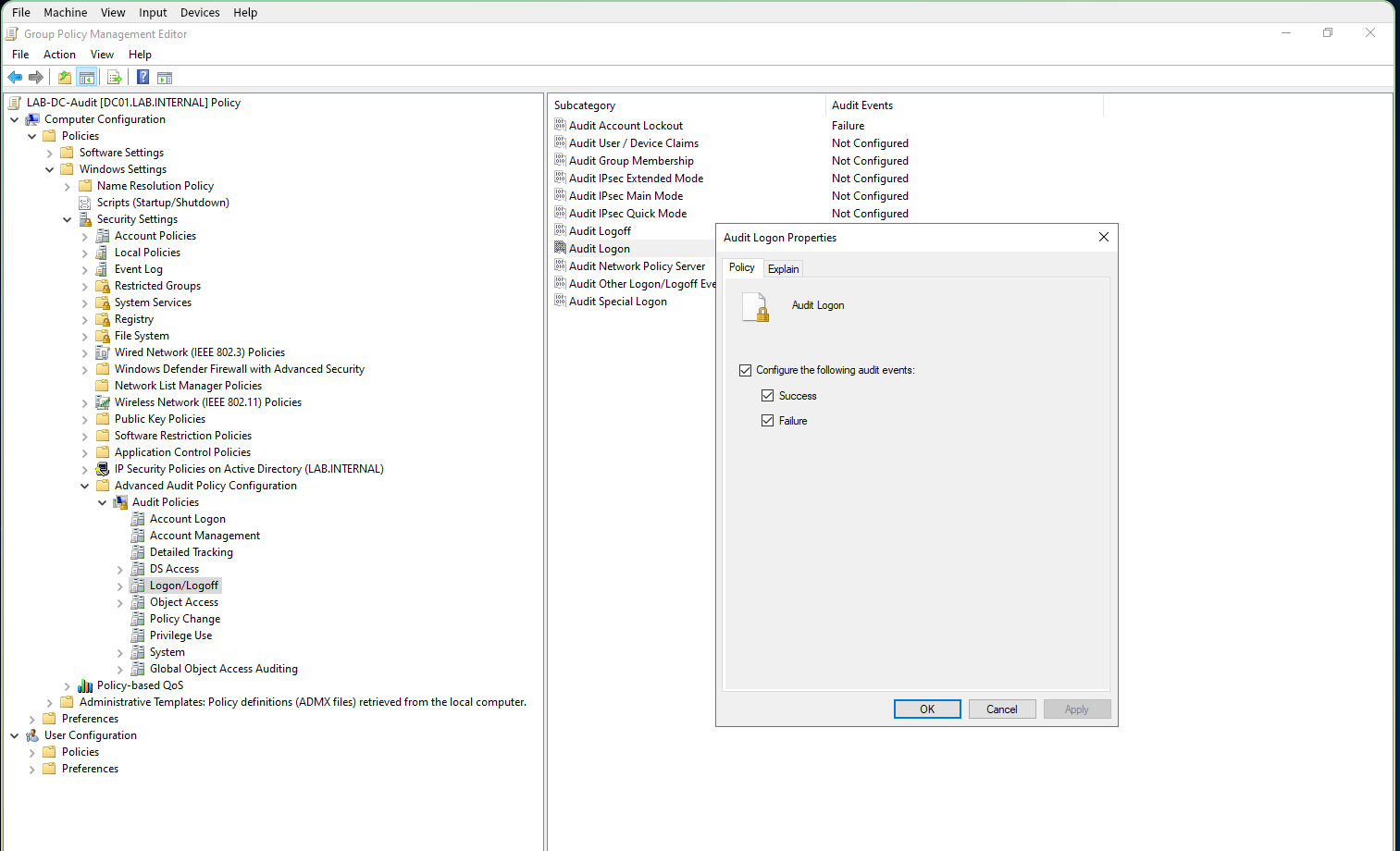 Setting a subcategory in the policy editor
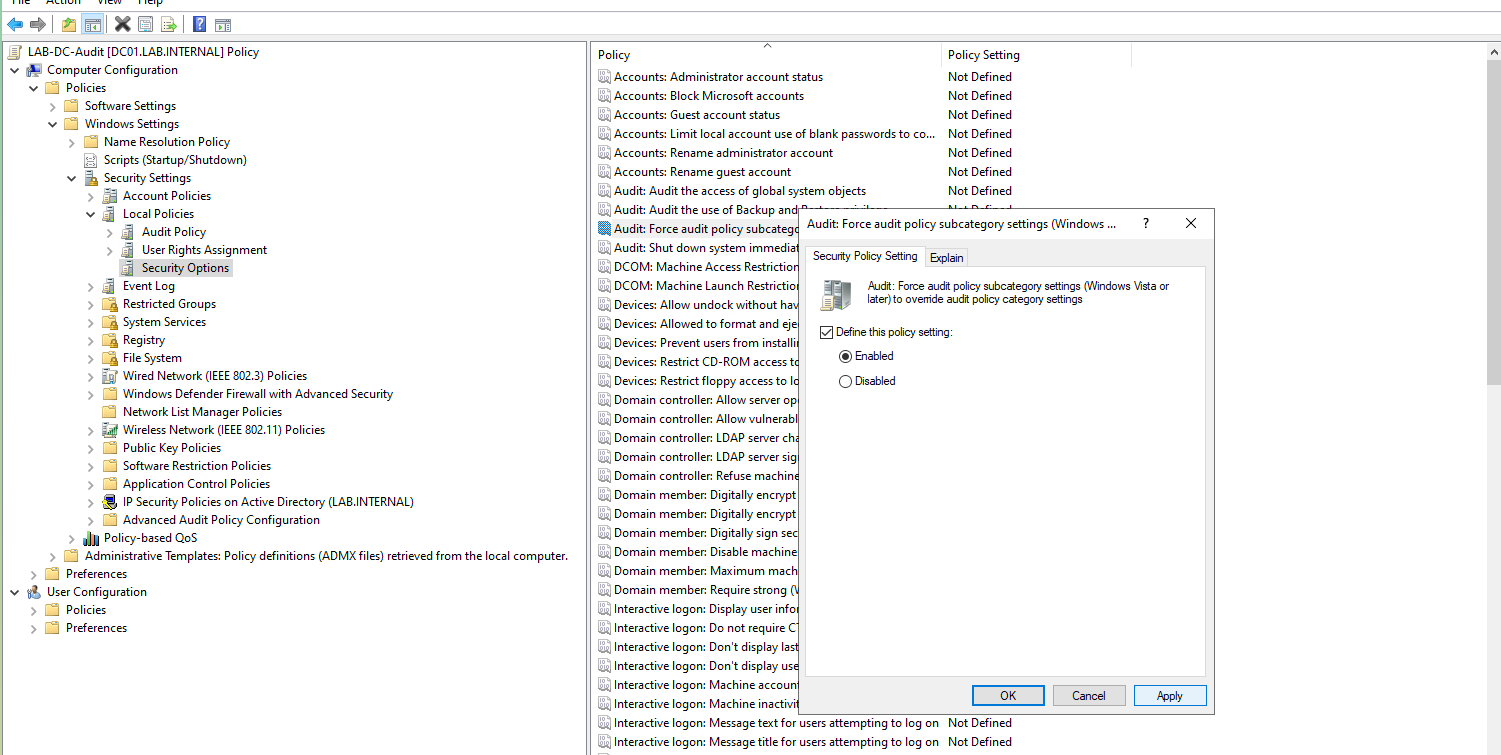 The override setting enabled
It got worse first
After gpupdate /force, I checked the result:
1
auditpol /get /subcategory:"Kerberos Authentication Service"
 After gpupdate: Kerberos Authentication Service says No Auditing
It said No Auditing, where before it had said Success. That was expected, because the override makes Windows ignore the old category settings that had been giving the Success, and I had not set the Account Logon subcategories yet. So I set them:
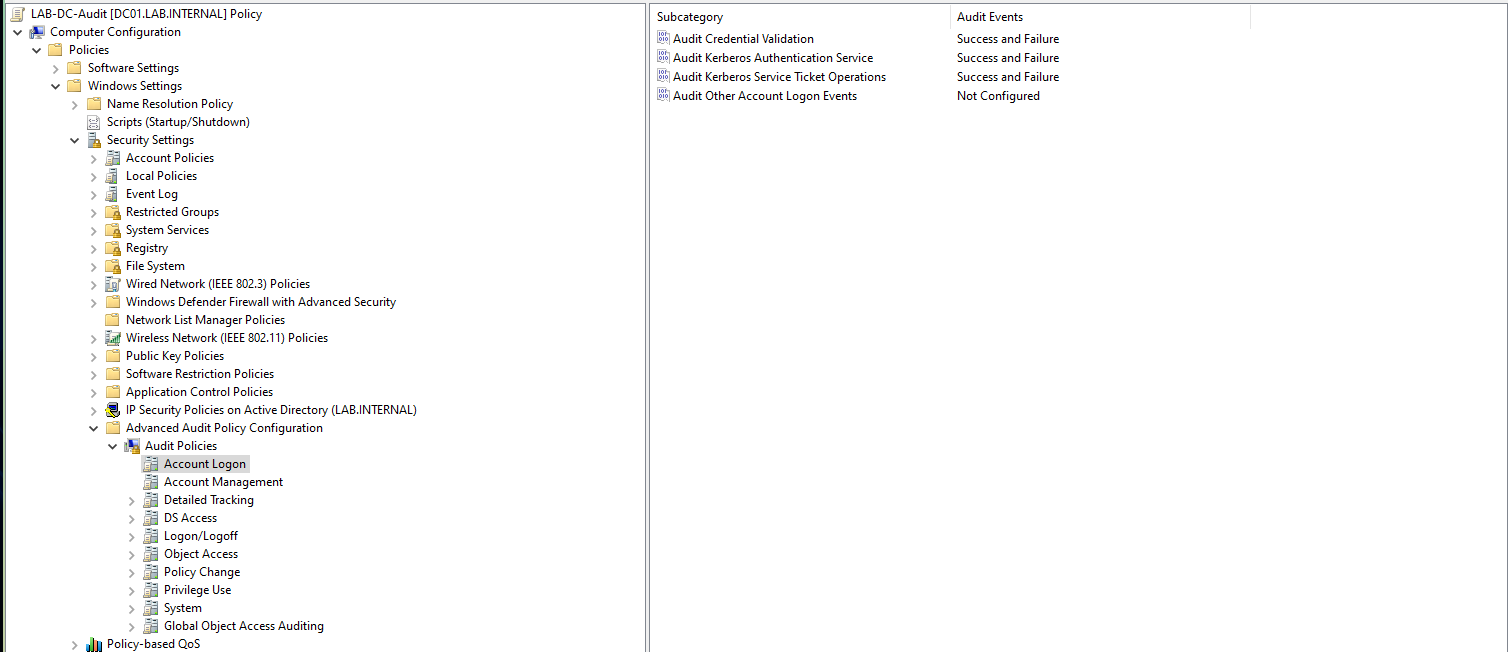 The three Account Logon subcategories set to Success and Failure
auditpol /get /category:* still said No Auditing for every subcategory, including the ones I had set.
Finding the cause
Three checks, all on DC01:
gpresult /scope computer /rlistedLAB-DC-Auditas applied.- The policy’s
audit.csvin SYSVOL held every row I had set, with the right values. - Its
GptTmpl.infheldSCENoApplyLegacyAuditPolicy=4,1, the override setting.
So the policy had applied, and the settings had been saved. The override had taken effect, and the audit rows had not. Then I looked at the policy’s record in Active Directory:
1
Get-ADObject "CN={e87ea7d7-5820-41cd-b0fc-2e05de015470},CN=Policies,CN=System,DC=lab,DC=internal" -Properties gPCMachineExtensionNames | Format-List gPCMachineExtensionNames
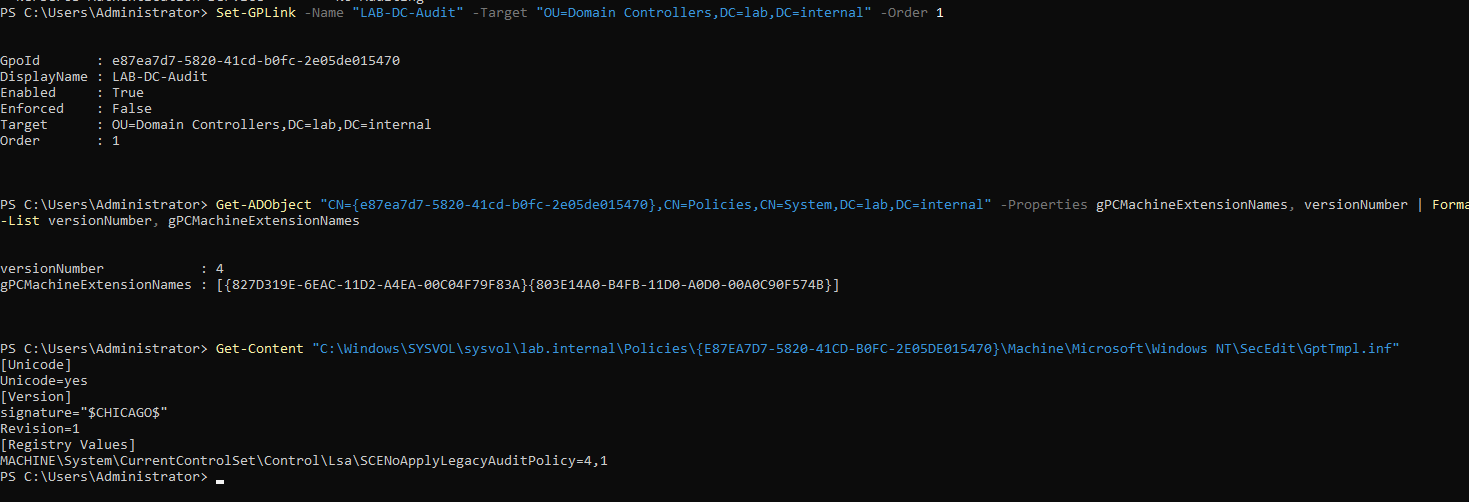 Only the security extension is listed; the audit extension is missing
gPCMachineExtensionNames listed only one pair, the security settings extension. The audit extension was missing. As I understand it, a computer only runs the extensions a policy lists, so DC01 read the override setting and never read audit.csv.
The fix
First I checked that the audit extension exists on DC01. The key {F3CCC681-B74C-4060-9F26-CD84525DCA2A} under Winlogon\GPExtensions is named Audit Policy Configuration and points to auditcse.dll. Then I appended it to the policy’s record:
1
2
3
4
$dn  = "CN={e87ea7d7-5820-41cd-b0fc-2e05de015470},CN=Policies,CN=System,DC=lab,DC=internal"
$cur = (Get-ADObject $dn -Properties gPCMachineExtensionNames).gPCMachineExtensionNames
Set-ADObject $dn -Replace @{ gPCMachineExtensionNames = $cur + '[{F3CCC681-B74C-4060-9F26-CD84525DCA2A}{0F3F3735-573D-9804-99E4-AB2A69BA5FD4}]' }
gpupdate /force
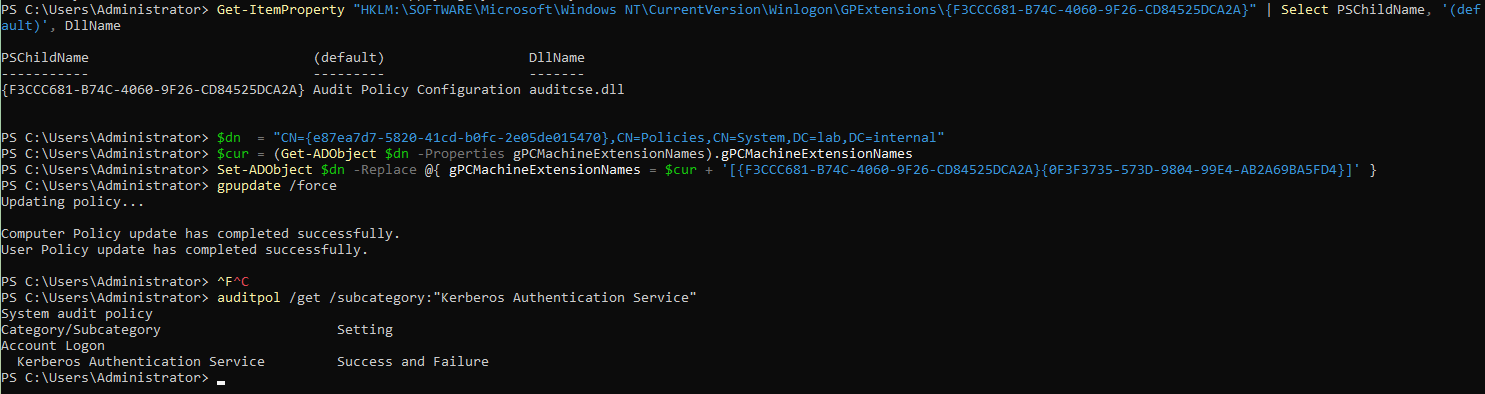 The extension registered, and auditpol shows Success and Failure
auditpol now said Success and Failure.
Two things I don’t know. A web search did not confirm the second GUID in the pair, which I took from memory, so I verified the extension GUID on DC01 and judged the rest by the result. And I don’t know why the Group Policy editor did not register the extension itself, so any new policy with audit settings may need the same step. If this had not worked, I would have put the settings in the Default Domain Controllers Policy or run auditpol from a startup script.
The proof
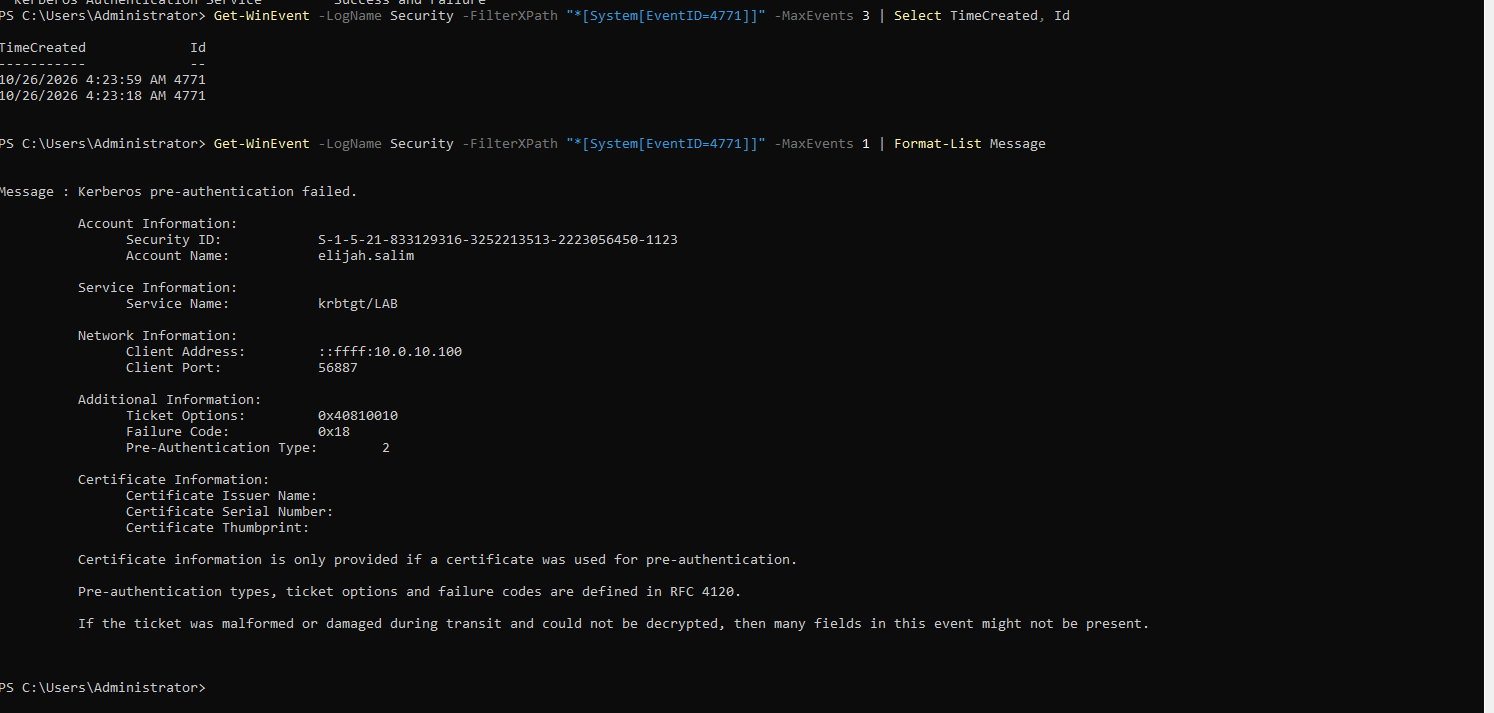
I typed a wrong password for elijah.salim on WS01, then read the log on DC01:
1
Get-WinEvent -LogName Security -FilterXPath "*[System[EventID=4771]]" -MaxEvents 1 | Format-List Message
Event 4771 for a wrong password, with failure code 0x18
Event 4771, which did not exist before, now names the account, krbtgt/LAB as the service, WS01’s address, and Failure Code 0x18, which is a wrong password. A failed login is now recorded on the domain controller with the account, the source machine and the reason.
Outcome
- The domain controller records failed and successful Kerberos logons, logons, account changes and group changes.
- The cause of a policy that applied and did nothing, found by comparing what the machine had with what the policy listed.
Still to do
- Check that the audit policy and the network profile survive a reboot of DC01.
- Password and account lockout policy.
- Turn off SMBv1, LLMNR and NetBIOS name resolution.
- The Windows Firewall policy for DC01, on all profiles.
- A clean hardened baseline snapshot.
What I would do differently
I only ran auditpol after setting a whole list of subcategories. Checking after the first one would have shown the extension problem sooner.
Next
The password and lockout policy, then the name-resolution settings.