Clinic Guard
A custom-built Clinic CMS designed to streamline patient management and appointment scheduling for a local healthcare facility.
Overview
Managing a clinic involves coordinating multiple workflows: patient records, appointments, billing, prescriptions, and staff access. This project is a Clinic Content Management System (CMS) designed to centralize these operations into a secure, role-based web application.
The system supports multiple user roles, each with access tailored to their responsibilities, ensuring both usability and data security.
Authentication & Access Control
The CMS implements a centralized authentication system that controls access across all modules. Every user must authenticate before accessing the system, and permissions are enforced based on assigned roles.
Login Interface
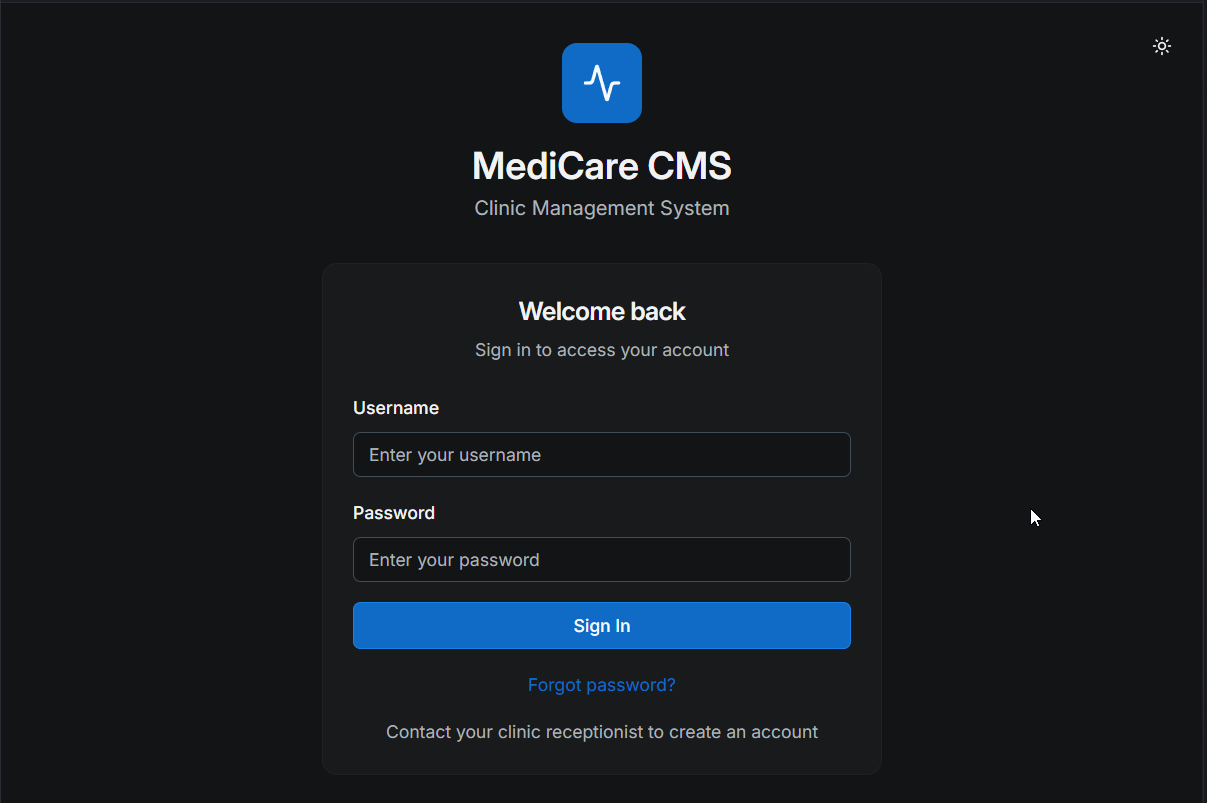 The login page serves as the entry point to the system. After a user account is created either by the admin(staff accounts) or the receptionist(patient accounts),tUsers authenticate using the given registered credentials then reset their passwords before logging in, after which they are redirected to a role-specific dashboard.
Key considerations
1.Secure credential handling
2.Clear error feedback
3.Simple, distraction-free UI
Password Reset Flow
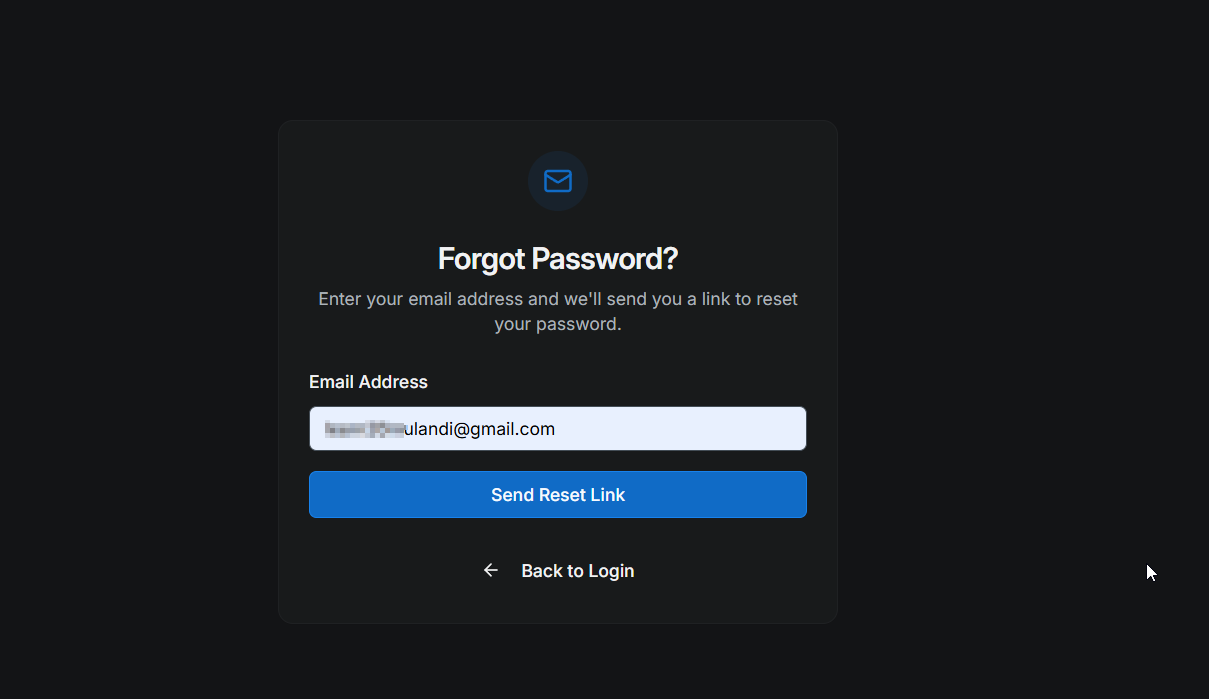 The system includes a complete password recovery workflow
The user clicks Forgot Password
Enters the user email for the Password reset.
Gets informed to check the mails if that account is associated with that email address
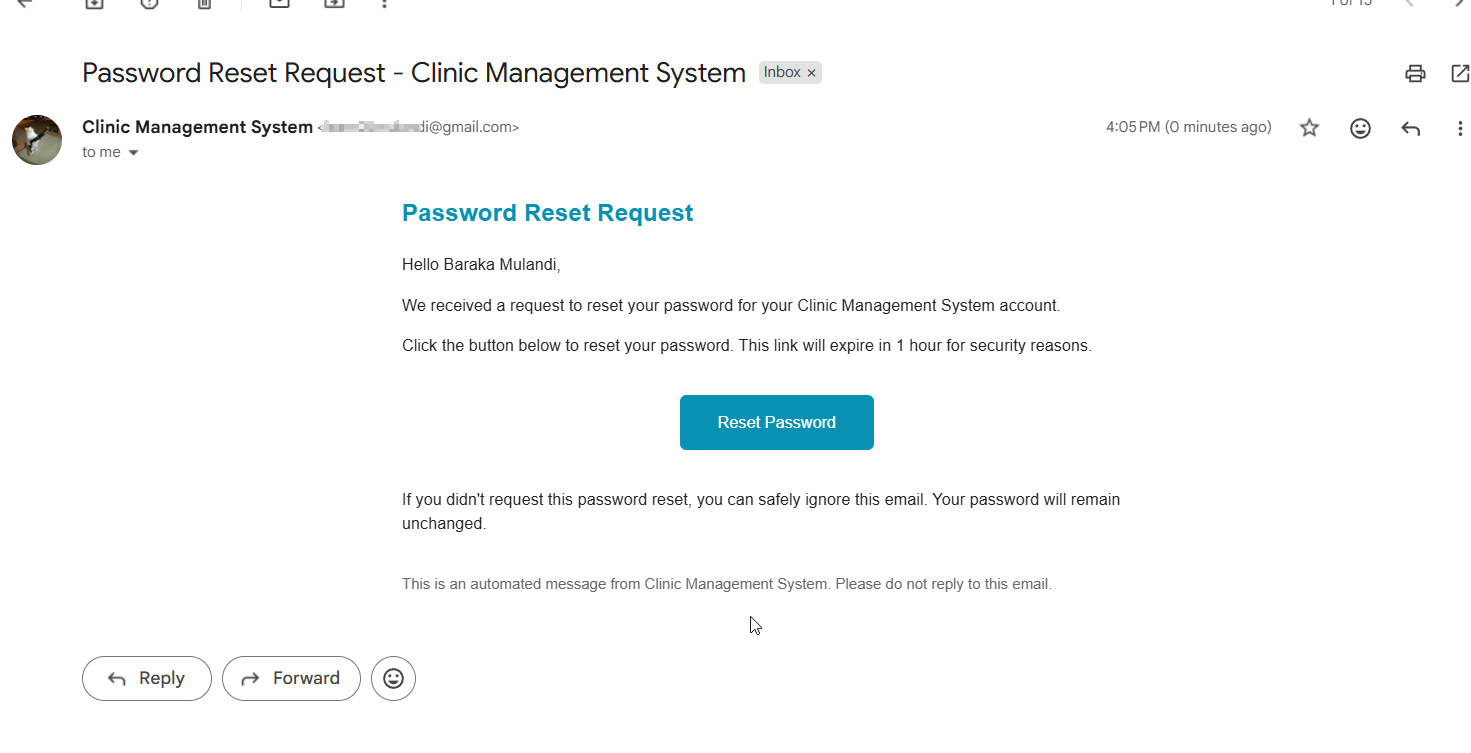 The reset link is sent to the user as an email and appears in the email as a green button.The email contains neccesary information on the password reset.
Reset links are secure and expire after an hour ensuring users can regain access without administrative intervention while maintaining security.
Role-Based Dashboards
Once authenticated, users are redirected to dashboards tailored to their role. This design prevents information overload and enforces the principle of least privilege.
Admin Dashboard
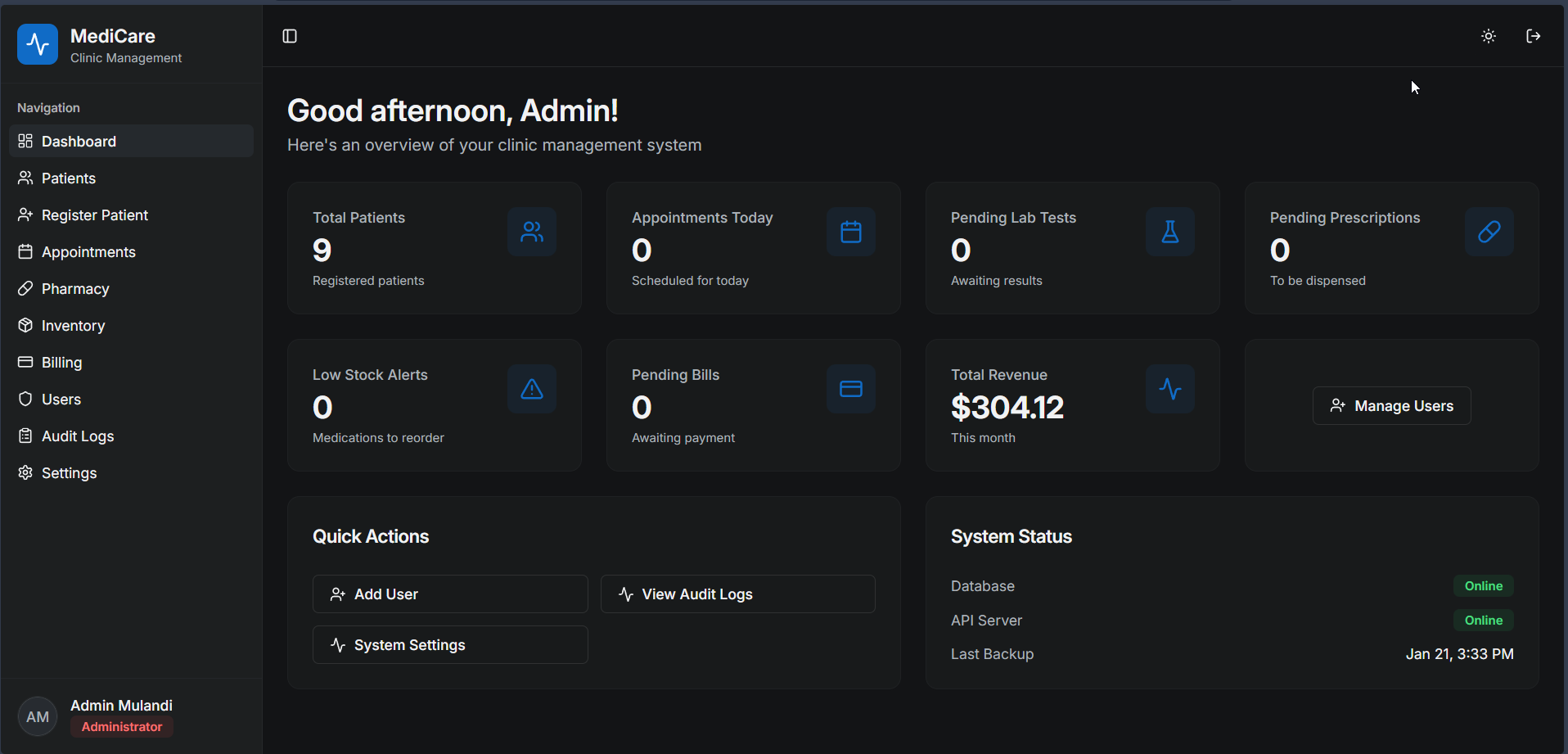 Admin Dashboard The admin dashboard provides a high-level overview of clinic operations. From here, administrators can:
- Manage users and roles
- Access audit logs
- Oversee billing,inventory and other operational modules
This dashboard acts as the control center of the CMS.
Receptionist Dashboard
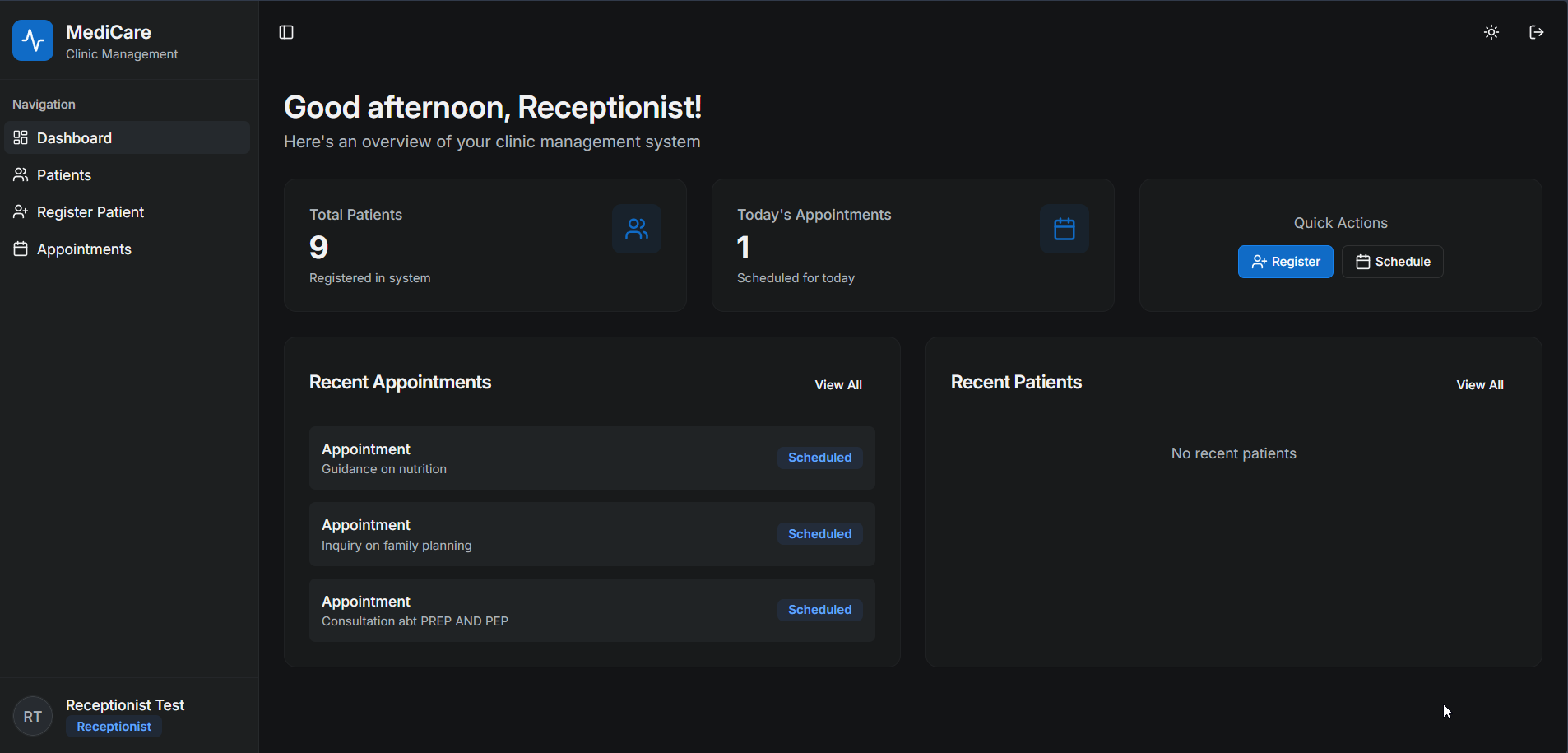 Receptionist Dashboard Receptionists handle the operational front desk tasks, including:
- Patient registration
- Appointment scheduling
This dashboard prioritizes speed and clarity, enabling efficient patient flow management.
Doctor Dashboard
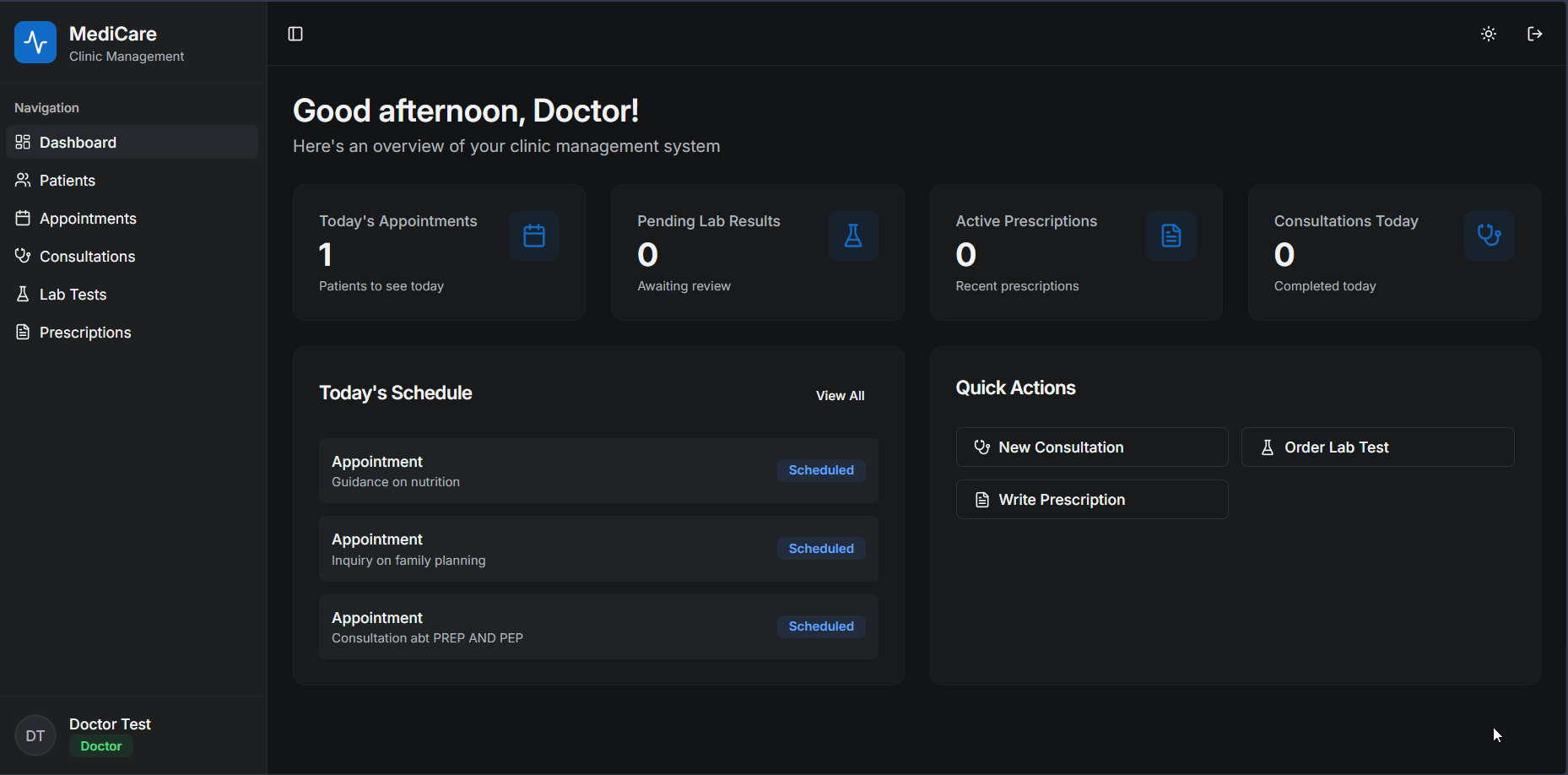 Doctor Dashboard Doctors interact primarily with:
- Patient medical records like adding patient diagnosis
- Adding patient Prescriptions
- Requesting lab results from the Lab tech
- Appointment schedules
The interface is optimized for quick access to clinical information, minimizing navigation overhead during consultations
Lab Technician Dashboard
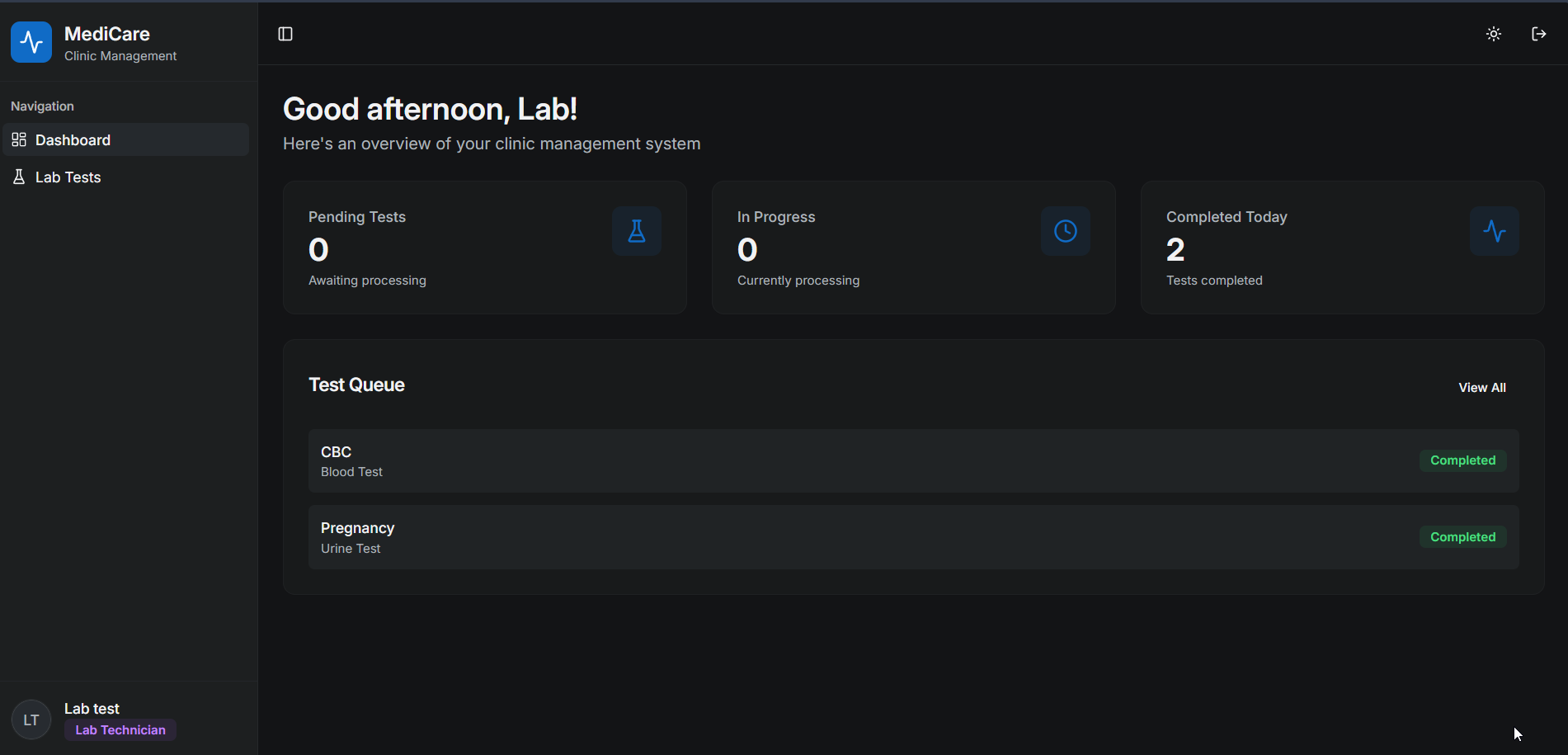 Lab Technician Dashboard Laboratory operations are handled through a dedicated Lab Technician Dashboard, designed to allow lab staff to work efficiently without exposing unnecessary patient information.
The lab tech:
- views the reccomended lab tests of the patients
- View pending lab tests.
- Adds,uploads and updates Lab results.
Lab tests workflow:
- Doctor recommends a lab test
- Test appears in the lab dashboard
- Lab technician performs the test
- Results are entered into the system
- Doctor is notified
Pharmacist Dashboard
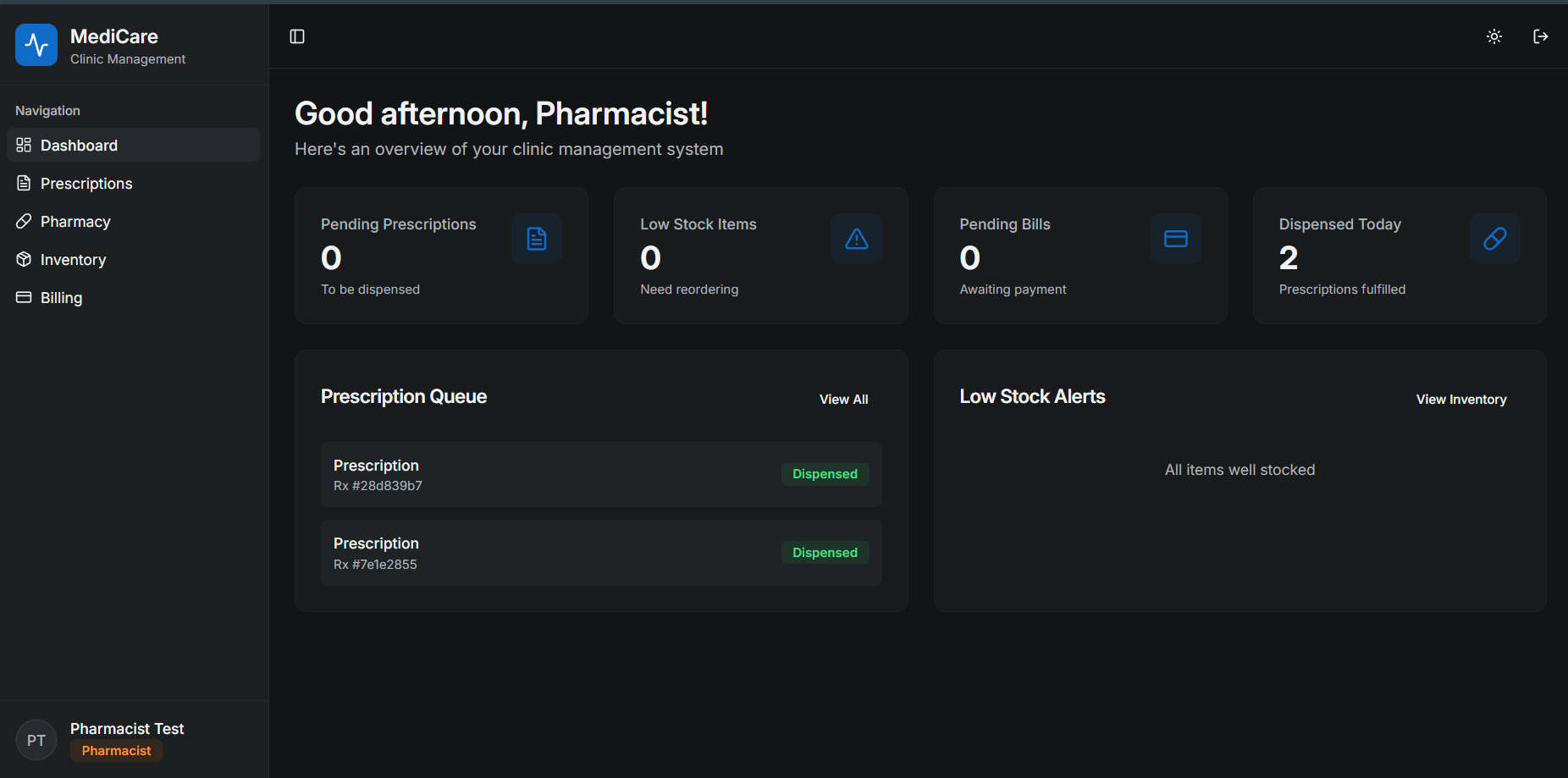 Pharmacist Dashboard The Pharmacist Dashboard is designed to support medication dispensing, prescription tracking, and inventory awareness, while keeping the interface focused and operationally efficient.
Pharmacists interact only with pharmacy-related data, ensuring clear separation of duties and patient data privacy. From the Pharmacist dashboard the pharmacist can manage - Pending Prescriptions – Prescriptions to be dispensed
- Low Stock Items – Medications that need reordering
- Pending Bills – Prescriptions awaiting payment clearance
- Dispensed Today – Number of prescriptions fulfilled
Patient Management
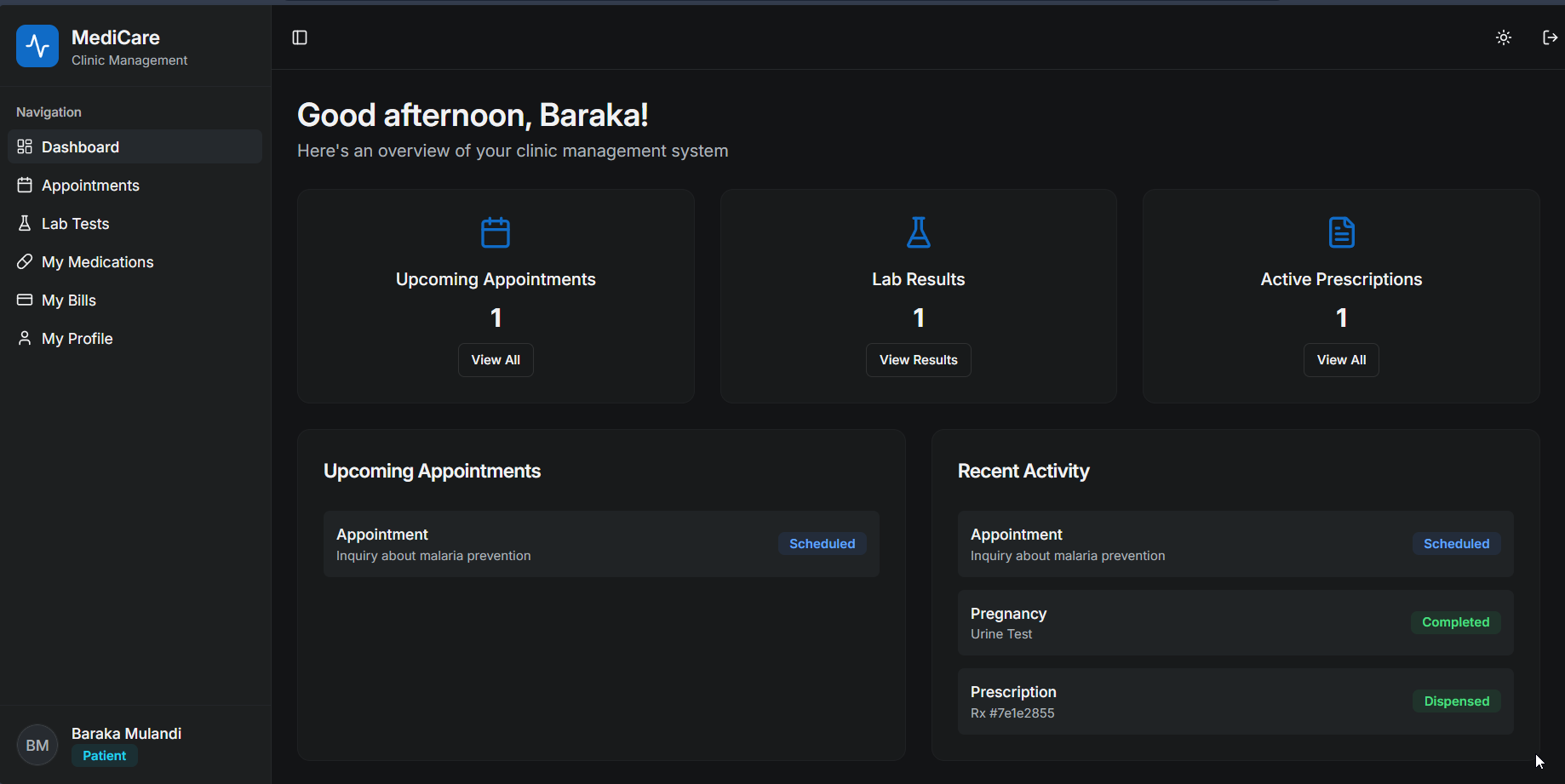 Patient Dashboard Patient management is the core of the Clinic CMS. The system is designed to store, retrieve, and update patient information efficiently while ensuring medical data remains secure and accessible only to authorized roles.
The patient dashboard provides a centralized view of an individual patient’s information. From this screen they can:
- Access their Lab results
- Check their appointments
- Check their prescriptions and medications
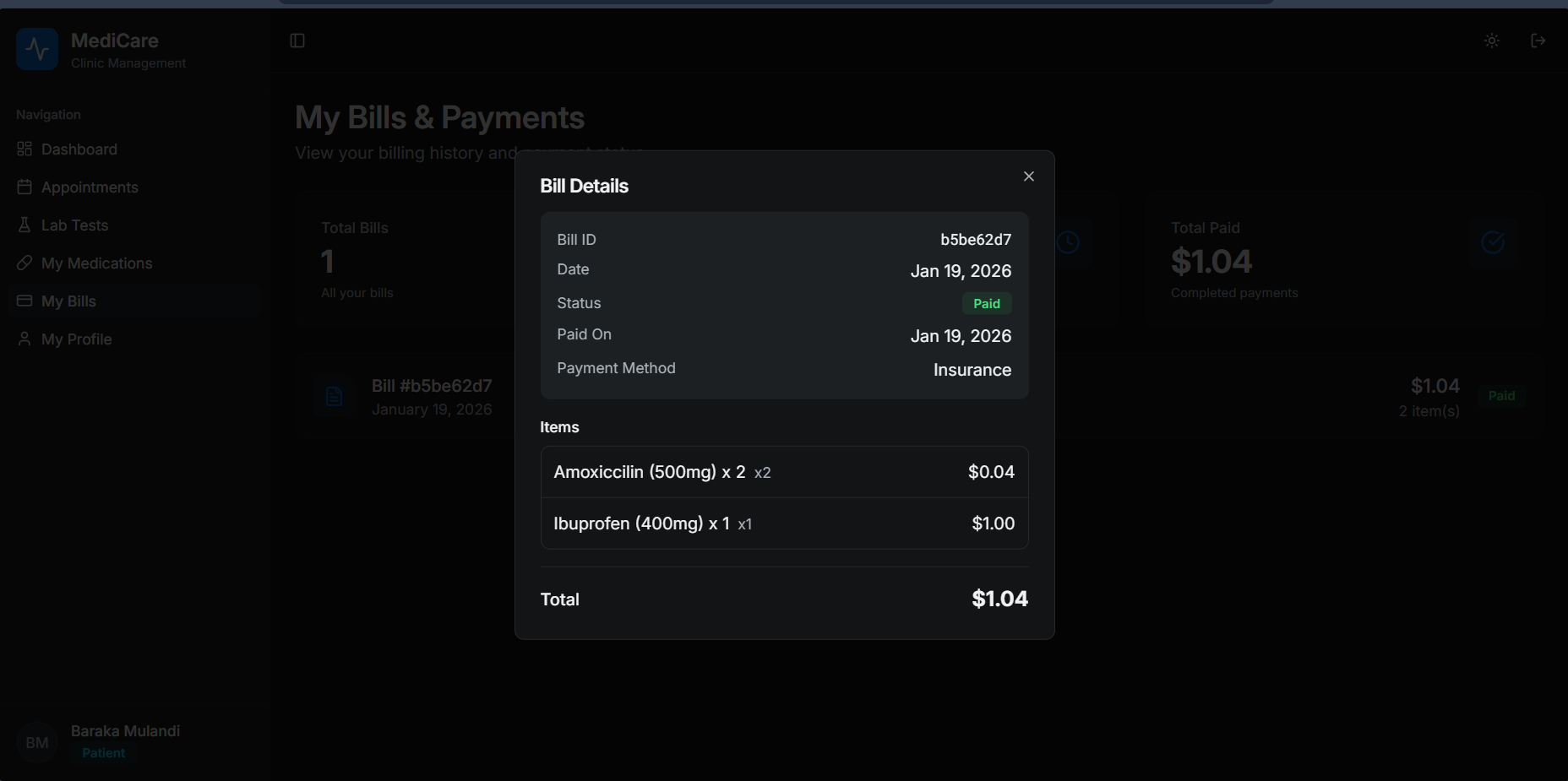
- Check billing records Patients can access a summary of their billing activity, including:
- Total number of bills issued
- Payment status for each bill and mode of payment
- Total amount paid to date
When they are unpaid bills,they easily make payment from their dashboard. This overview helps patients quickly assess outstanding or completed payments without navigating complex financial data.
Summary & Learnings
This project involved designing and implementing a role-based Clinic Management System that integrates patient records, appointments, laboratory workflows, pharmacy operations, and billing into a single platform.
Key Technical Takeaways
- Designed role-based access control (RBAC) enforced at both UI and API layers
- Modeled real-world clinical workflows into normalized data structures
- Implemented data isolation for sensitive modules (lab, pharmacy, billing)
- Built modular components to support scalability and maintainability
- Emphasized workflow-driven design over generic CRUD operations Challenges and breakthrough Ensuring proper access control and data isolation in the system was challenging when I started.Ensuring that each role (doctor, lab technician, pharmacist, receptionist, patient, admin) could access only the data required for their tasks was complex and required consistent enforcement at both the UI and API layers
Overall, the project strengthened my ability to design secure, domain-driven systems and reason about permissions, data boundaries, and long-term maintainability.
References
Health Information System Role-Based Access Control: Current Security Trends and Challenges. PMC/NIH. https://pmc.ncbi.nlm.nih.gov/articles/PMC5836325
REST API Authorization Best Practices. AppSentinels. https://appsentinels.ai/blog/rest-api-authorization-best-practices
Role-Based Access Control in Healthcare RCM (Enter.Health). https://www.enter.health/post/role-based-access-control-healthcare-rcm